Service Health Status Visualization
1. Background & Description
Currently, Apache ShenYu Admin manages both the services reported by the Client and the Apache ShenYu gateway. However, the management of this series of services by ShenYu Admin is relatively lacking, especially in terms of visualization.
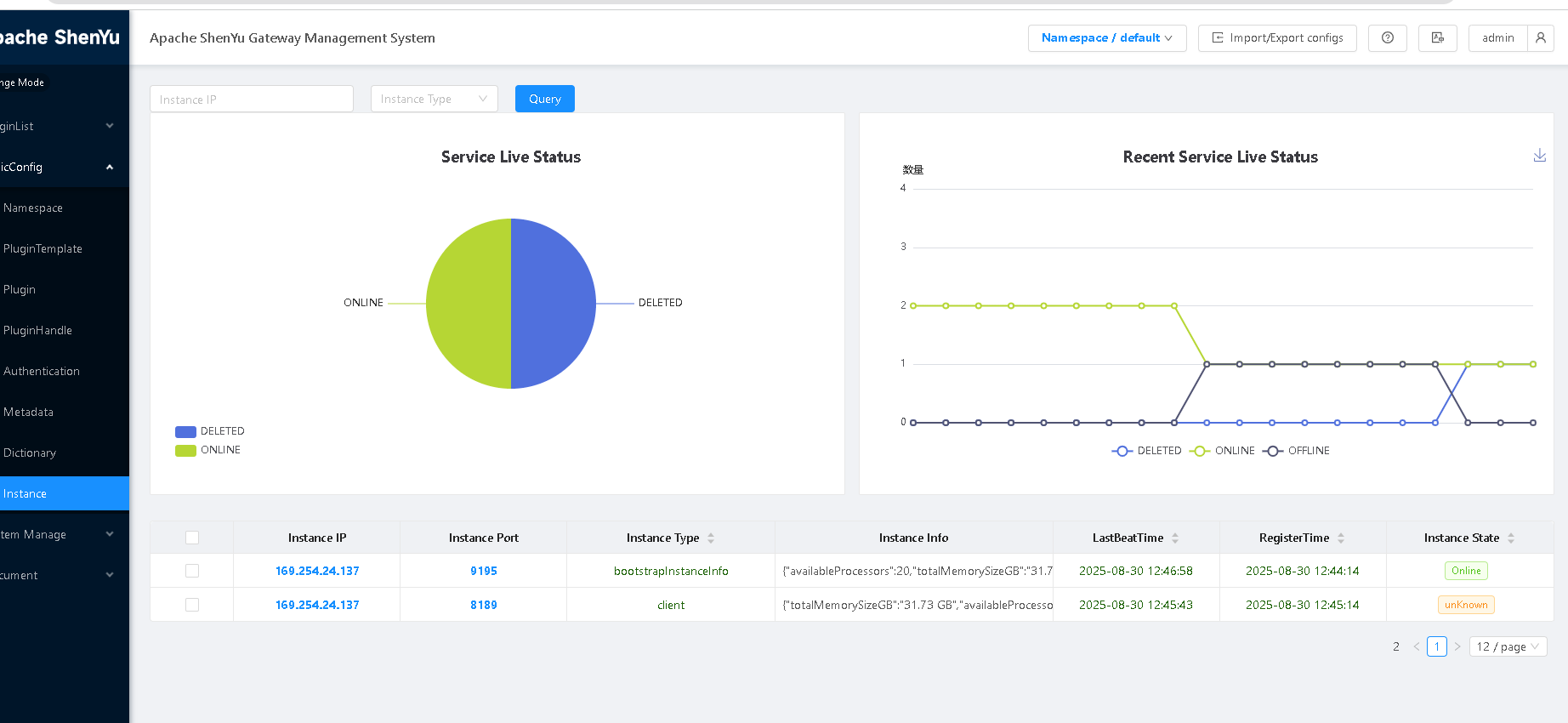
Apache ShenYu Admin now supports monitoring and visualizing the liveness status of both the ShenYu Client and the Apache ShenYu gateway.
2.Enabling the Heartbeat Check Service
Monitoring the liveness status requires the Shenyu Client and gateway to report heartbeat information. The Shenyu Client and gateway using HTTP and WebSocket data synchronization methods already support heartbeat reporting without additional configuration.
However, the gateway using middleware data synchronization still requires manual configuration for heartbeat reporting. The configuration method is as follows:
1.Configuration Settings
Open the gateway's application.yml file and find the heartbeat configuration item. Fill in the admin's IP address and login password.
  heartbeat:
    enabled: true
    serverLists: http://localhost:9095
    props:
      username: admin
      password: 123456
2.Visualization Interface
Users can log in to the shenyu-admin backend, select [Basic Configuration - Instance Management], and view the instance status overview.