Monitor插件
说明
monitor插件是网关用来监控自身运行状态(JVM相关),请求的响应迟延,QPS、TPS等相关metrics。
技术方案
-
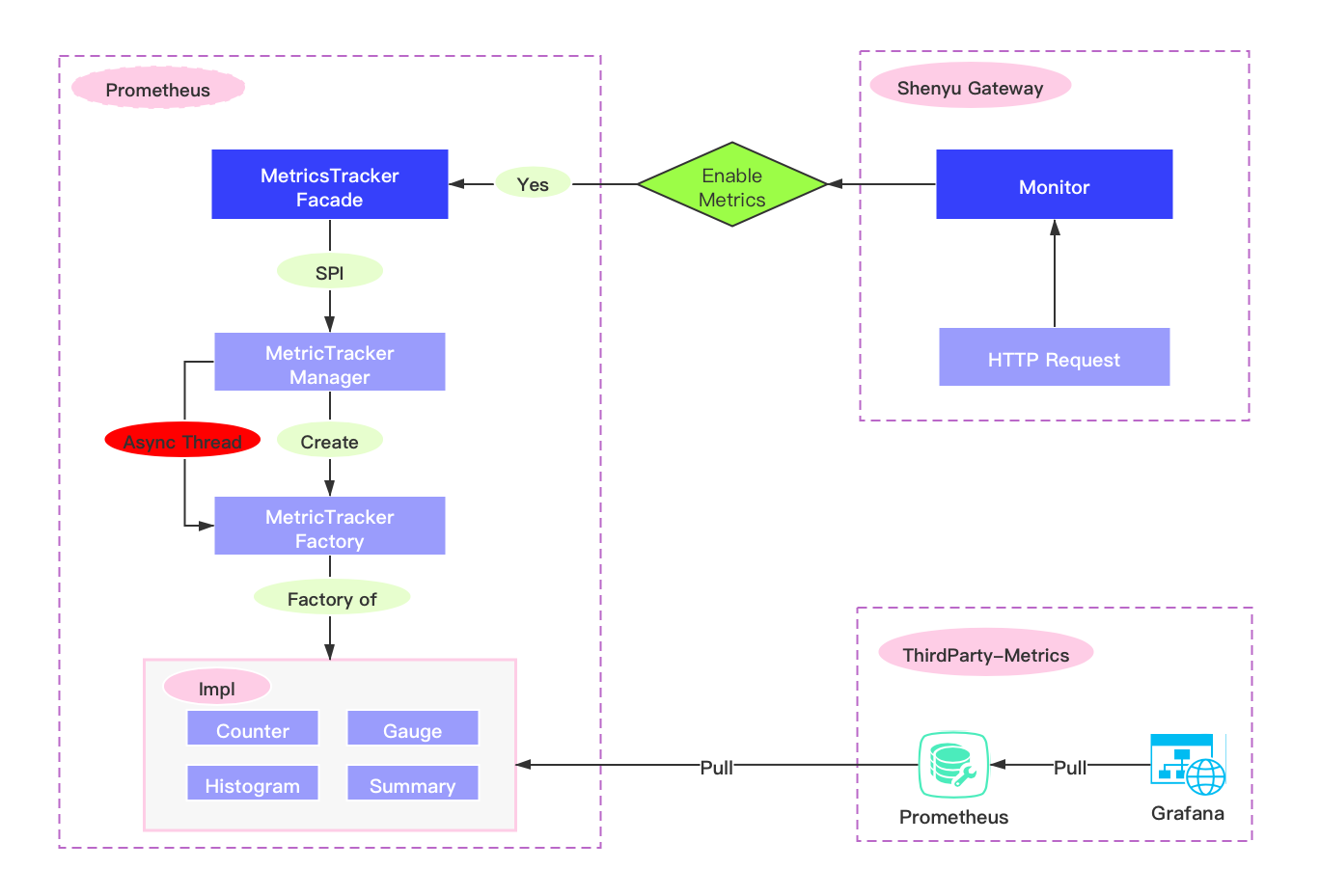
流程图
-
异步或者同步的方式,在
Apache ShenYu网关里面进行metrics埋点。 -
prometheus服务端通过http请求来拉取metrics,再使用Grafana展示。
插件设置
-
在
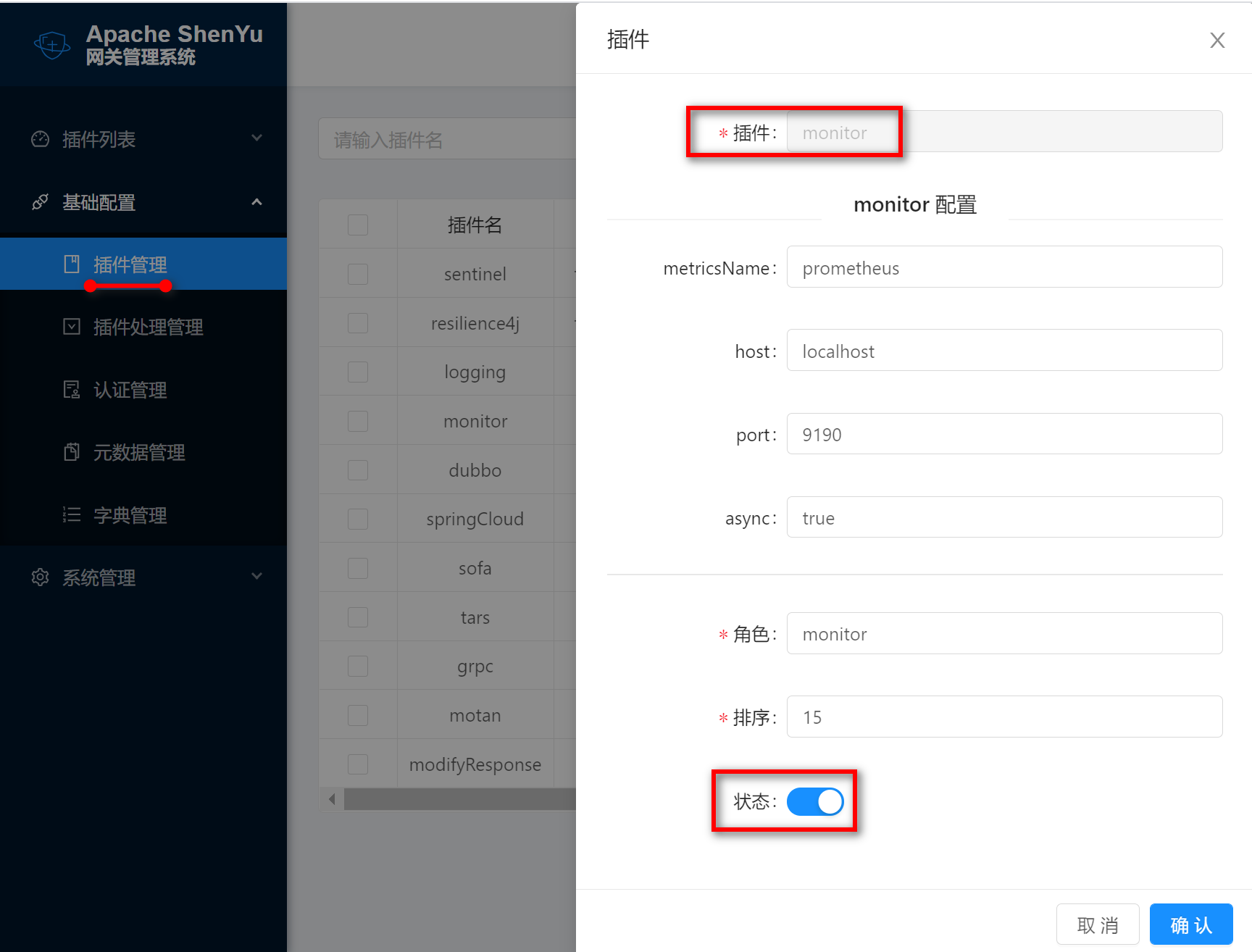
shenyu-admin--> 基础配置 --> 插件管理->monitor,设置为开启。 -
在
monitor插件中新增以下配置:
{"metricsName":"prometheus","host":"localhost","port":"9190","async":"true"}

# port : 为暴露给 prometheus服务来拉取的端口
# host : 不填写则为 Apache ShenYu 网关的host.
# async :"true" 为异步埋点, false 为同步埋点
- 如果用户不使用,则在
shenyu-admin后台把此插件停用。
插件使用
- 在网关的
pom.xml文件中添加monitor的依赖。
        <!-- apache shenyu monitor plugin starter-->
        <dependency>
            <groupId>org.apache.shenyu</groupId>
            <artifactId>shenyu-spring-boot-starter-plugin-monitor</artifactId>
            <version>${project.version}</version>
        </dependency>
        <!-- apache shenyu monitor plugin end-->
- 选择器和规则配置,请参考: 选择器和规则管理。
- 只有当匹配的
url,才会进行url请求埋点。
metrics信息
-
所有的
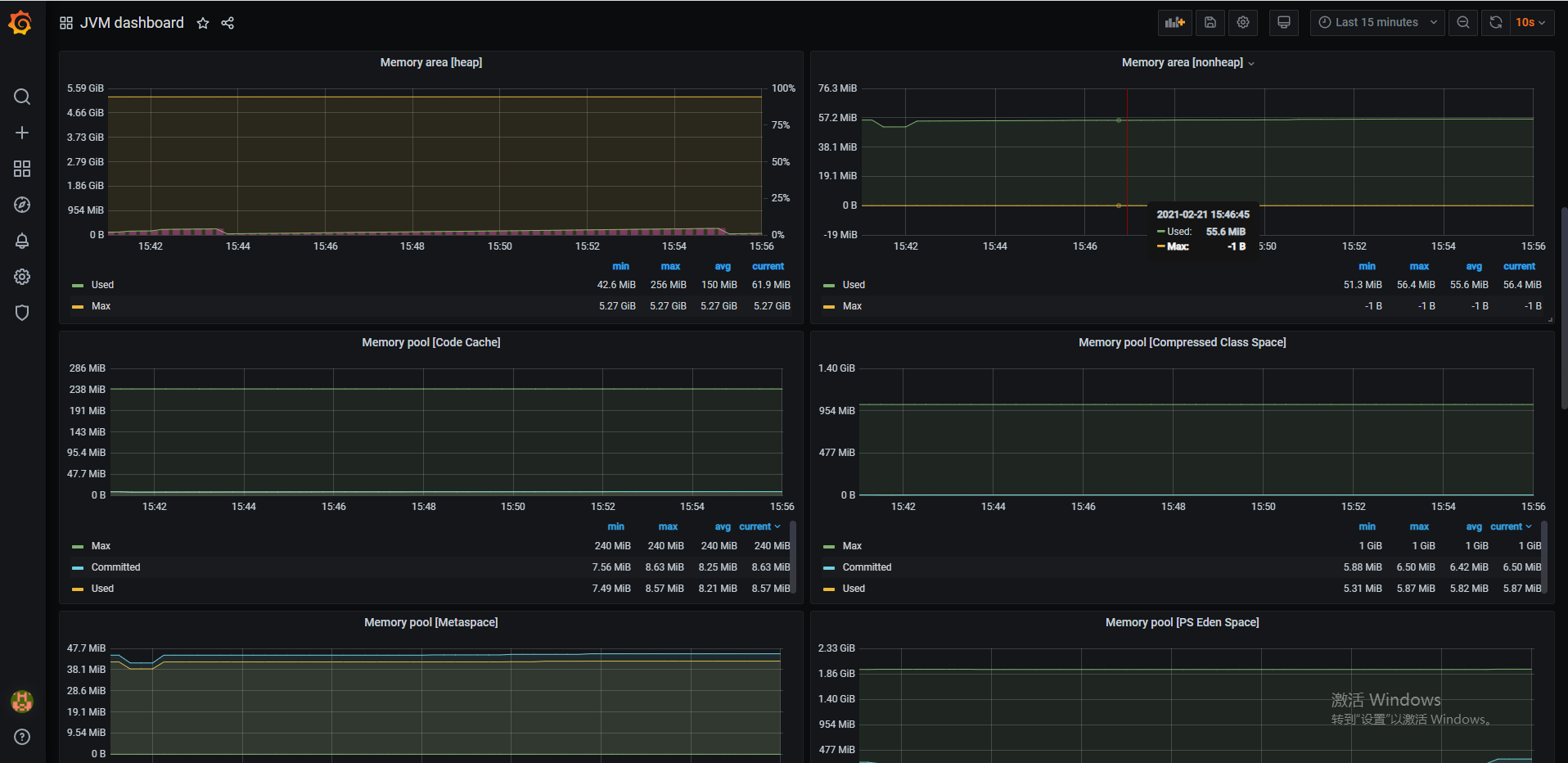
JVM,线程,内存,等相关信息都会埋点,可以在Grafana面板中,新增一个JVM模块,则会完全展示 具体请看:https://github.com/prometheus/jmx_exporter -
另外还有如下自定义的
metrics
| 名称 | 类型 | 标签名称 | 说明 |
|---|---|---|---|
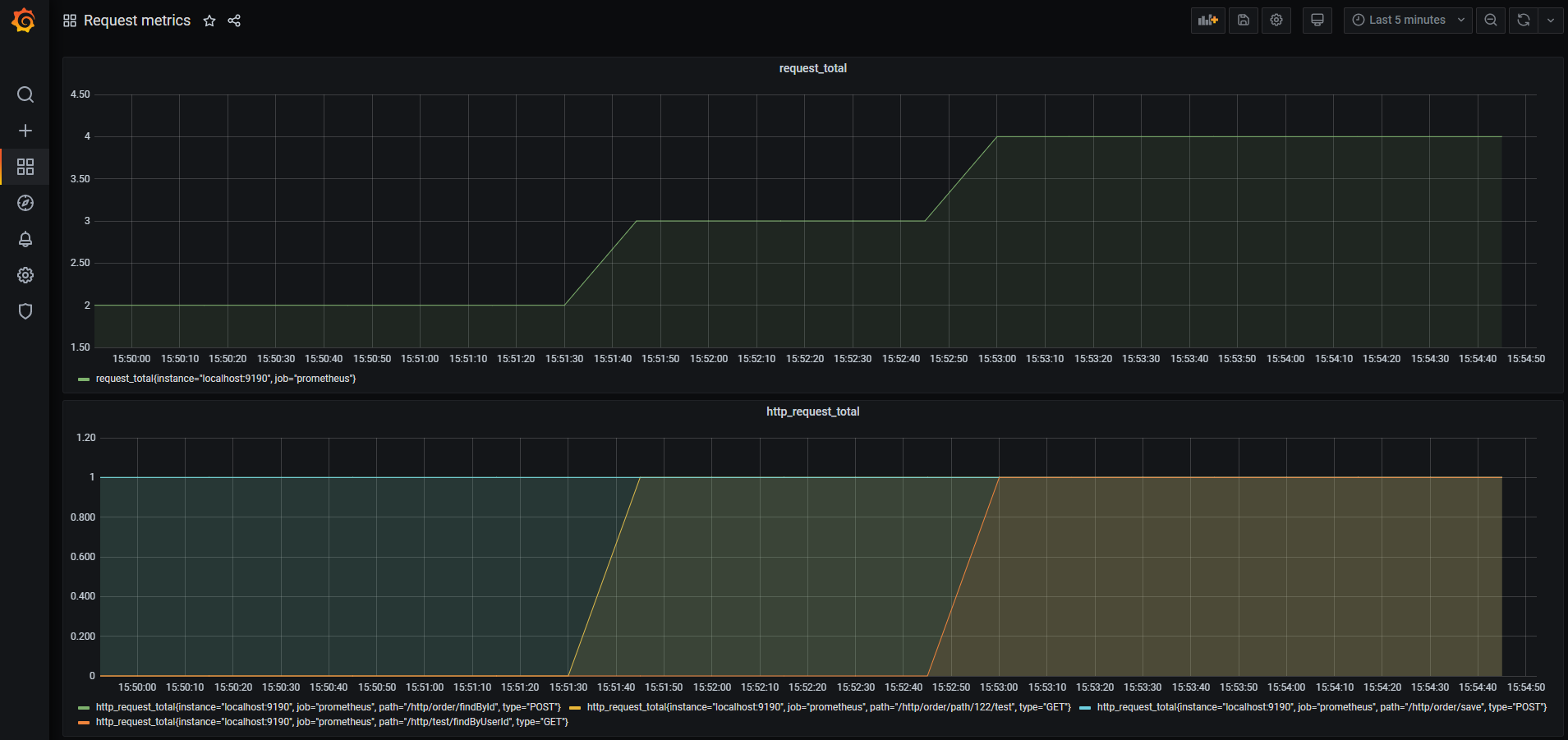
| request_total | Counter | 无 | 收集ShenYu网关所有的请求 |
| http_request_total | Counter | path,type | 收集monitor插件匹配的请求 |
收集 metrics
用户需部署Prometheus 服务来采集
- 选择对应环境的 下载地址安装
- 修改配置文件:
prometheus.yml
scrape_configs:
  # The job name is added as a label `job=<job_name>` to any timeseries scraped from this config.
  - job_name: 'prometheus'
    # metrics_path defaults to '/metrics'
    # scheme defaults to 'http'.
    static_configs:
    - targets: ['localhost:9190']
注: job_name跟monitor插件配置的metricsName相对应
- 配置完成之后
window下可以直接双击prometheus.exe启动即可,默认启动端口为9090,可通过http://localhost:9090/ 验证是否成功
面板展示
推荐使用 Grafana,用户可以自定义查询来个性化显示面板盘。
下面介绍 Grafana 部署(windows版)
- 安装
Grafana
下载地址 解压进入 bin 目录然后双击 grafana-server.exe 运行 访问 http://localhost:3000/?orgId=1 admin/admin 验证是否成功
- 配置
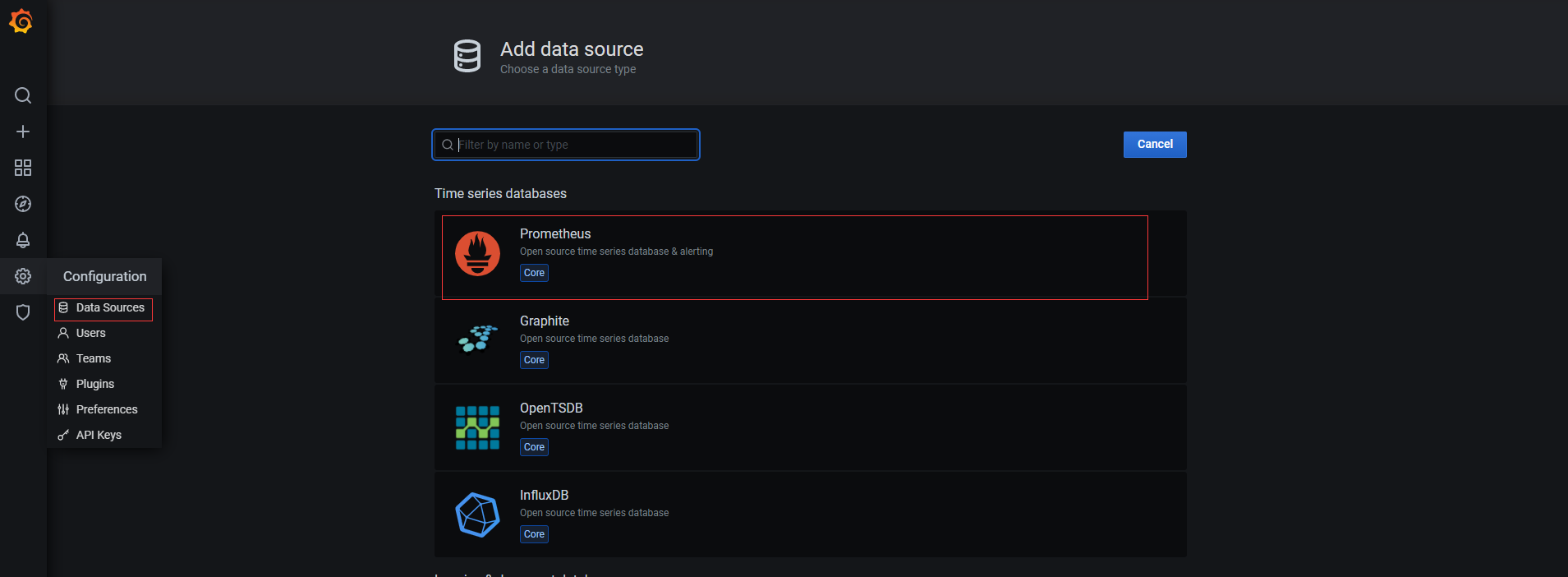
Prometheus数据源
- 配置
JVM面板
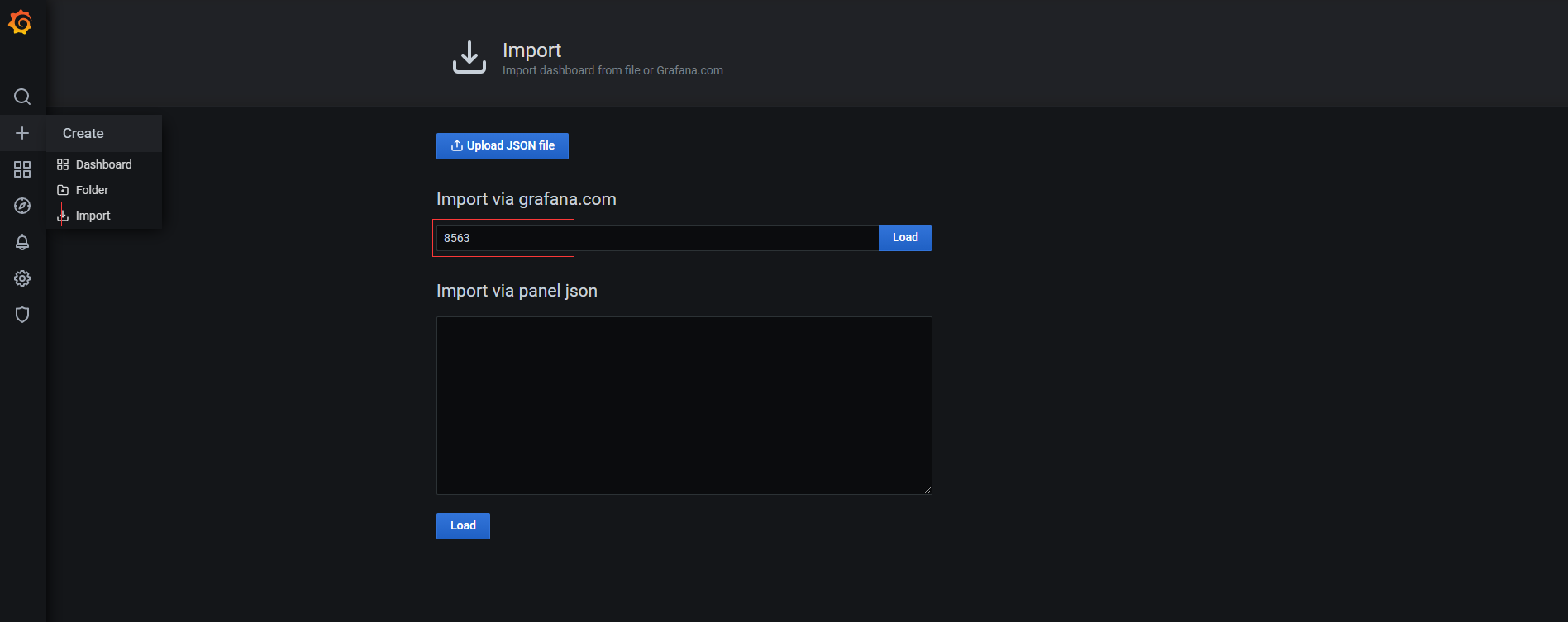
点击Create - Import,输入 dashboards 的 id(推荐8563)
最终JVM监控面板效果如下:
- 配置自定义metric面板
request_total、http_request_total
点击 Create - Import 输入dashboards 的 面板json配置
最终自定义 Http 请求监控面板效果如下: