1. Overview
1.1 Plugin Name
- Hystrix Plugin
1.2 Appropriate Scenario
- The backend service is unstable, use hystrix for protection
1.3 Plugin functionality
- Fusing the flow
- Protect the application behind ShenYu Gateway
- Isolation mode supports
threadandsemaphore.
1.4 Plugin code
-
Core Module:
shenyu-plugin-hystrix -
Core Class:
org.apache.shenyu.plugin.hystrix.HystrixPlugin
1.5 Added Since Which shenyu version
- Since ShenYu 2.4.0
2. How to use plugin
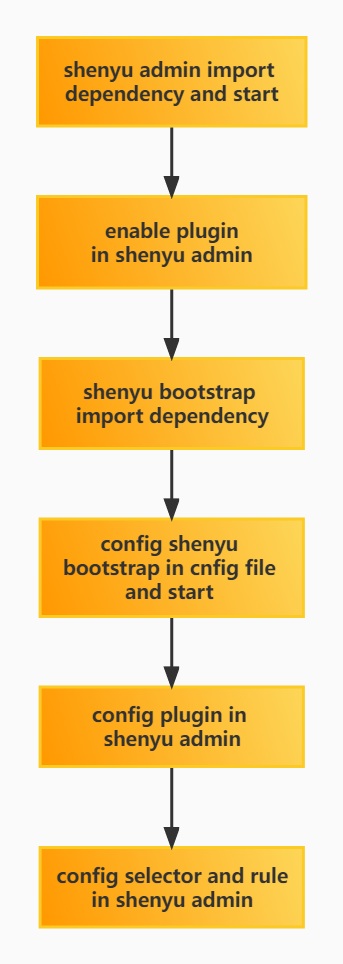
2.1 Plugin-use procedure chart
2.2 Import pom
- Add
hystrixdependency in thepom.xmlfile of the gateway.
<!-- apache shenyu hystrix plugin start-->
<dependency>
  <groupId>org.apache.shenyu</groupId>
  <artifactId>shenyu-spring-boot-starter-plugin-hystrix</artifactId>
  <version>${project.version}</version>
</dependency>
<!-- apache shenyu hystrix plugin end-->
2.3 Enable plugin
- In
shenyu-admin--> BasicConfig --> Plugin -->hystrixset to enable.
2.4 Config plugin
2.4.1 Plugin Config
- No Config, but you should open hystrix plugin.
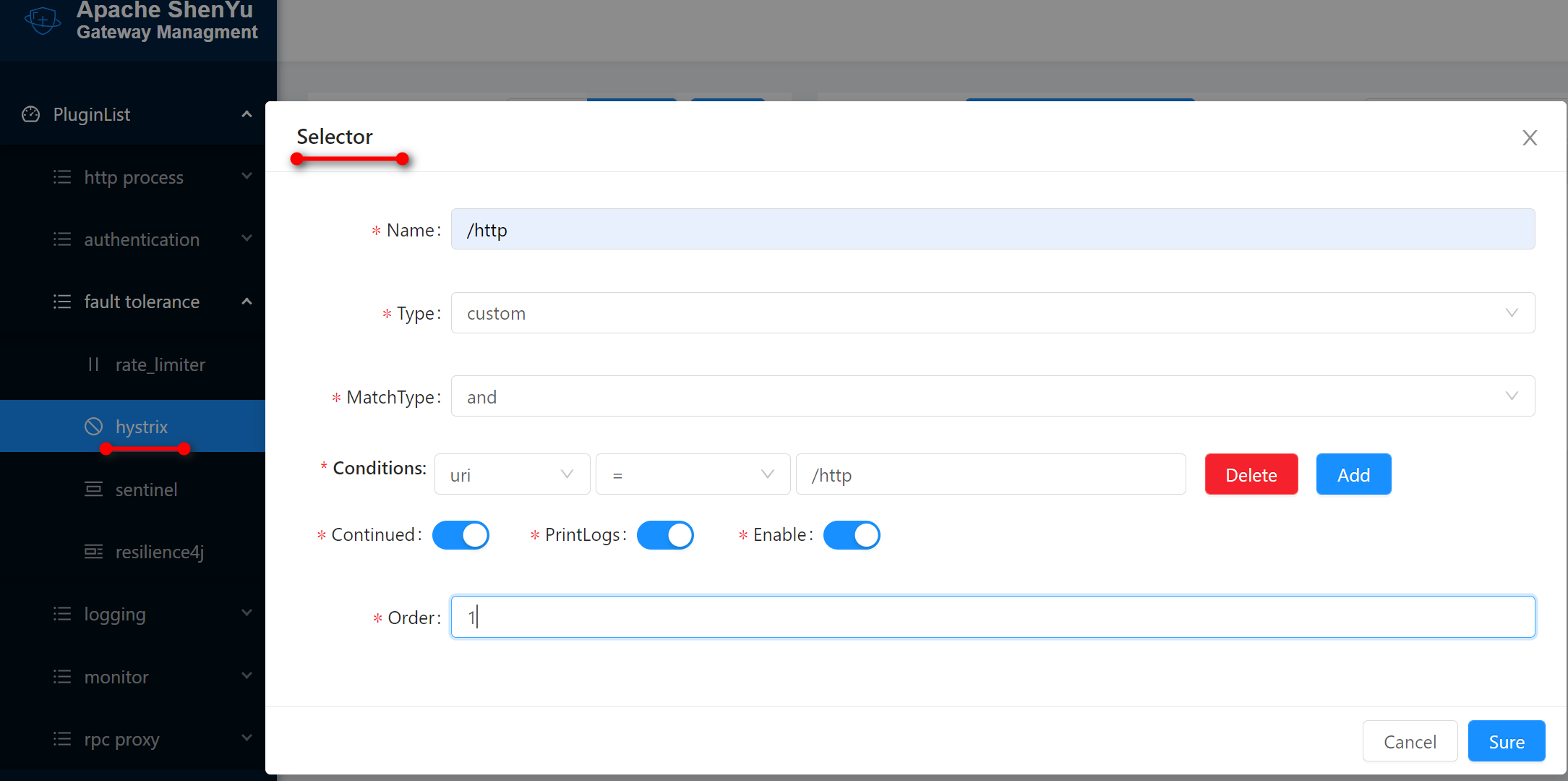
2.4.2 Selector Config
It is used to filter traffic for the first time and does not require handle fields.
For more information on selectors and rules configuration, see Selector And Rule Config , only some of the fields are covered here.
2.4.3 Rule Config
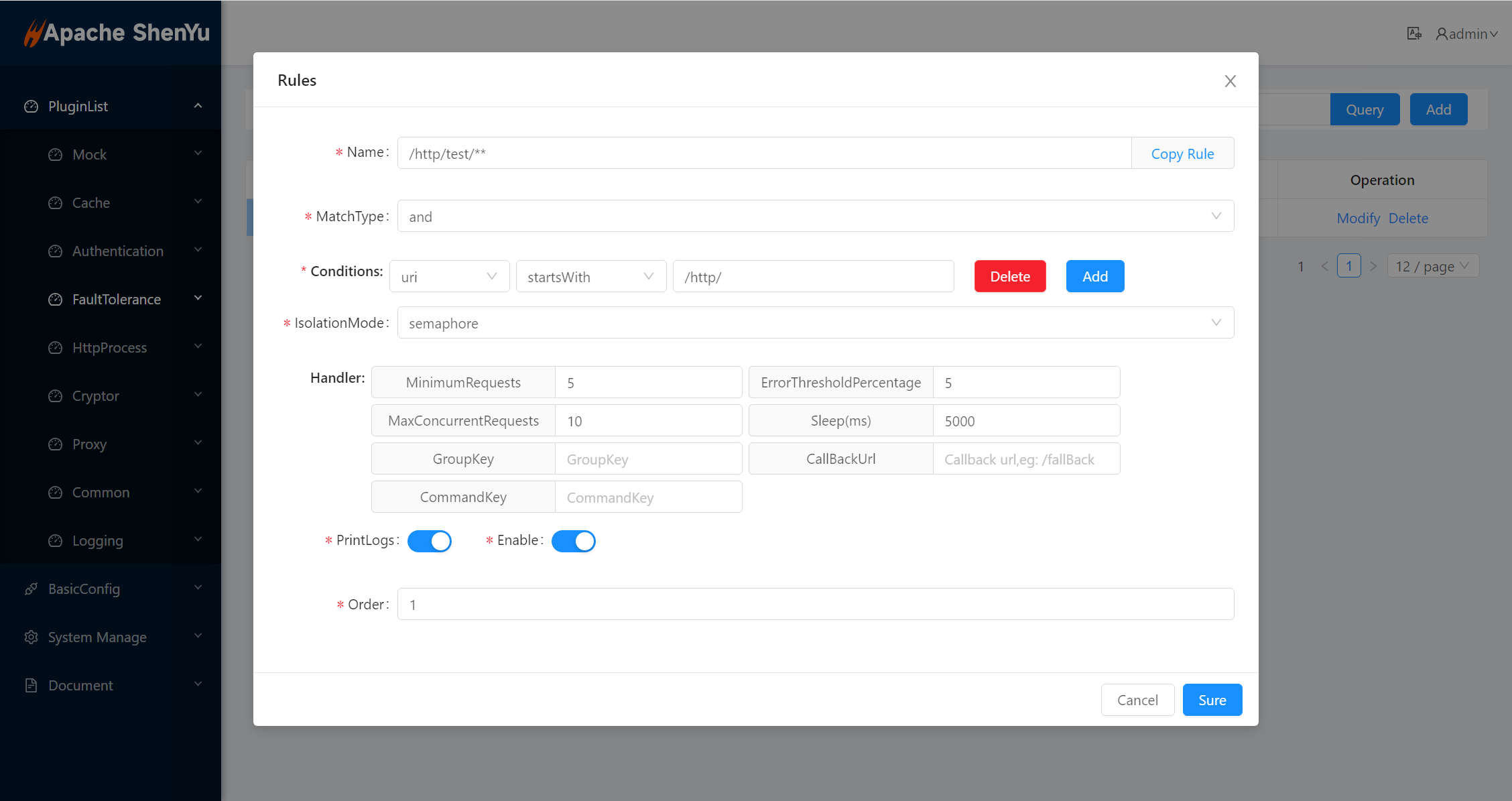
- For the final filtering of traffic, there is a rule handler logic, isolation mode supports
threadandsemaphore.

-
Hystrix handler details:
-
MinimumRequests: the minimum number of requests required to trigger a circuit breaker. -
ErrorThresholdPercentage: percentage of exception occurring during that time. -
Timeout(ms): execution timeout. -
MaxConcurrentRequests: max concurrent requests. -
Sleep(ms): The recovery time after the circuit breaker. -
GroupKey: It is generally set to:contextPath. -
CallBackUrl: default url/fallback/hystrix. -
CommandKey: generally, it is set to a specific path interface.
-
2.5 Examples
2.5.1 use hystrix protect application
2.5.1.1 Preparation
- Start ShenYu Admin
- Start ShenYu Bootstrap
- Start a backend service
2.5.1.2 Selector Config
2.5.1.3 Rule Config
- The rules in the pictures below are test examples, actual environment depends on the specific situation.
- test example
@RestController
@RequestMapping("/test")
@ShenyuSpringMvcClient("/test/**")
public class HttpTestController {
    @PostMapping("/testHystrix")
    public ResultBean ok() {
        Random random = new Random();
        int num = random.nextInt(100);
        if (num > 20) {
            throw new RuntimeException();
        }
        return new ResultBean(200, "ok", null);
    }
}
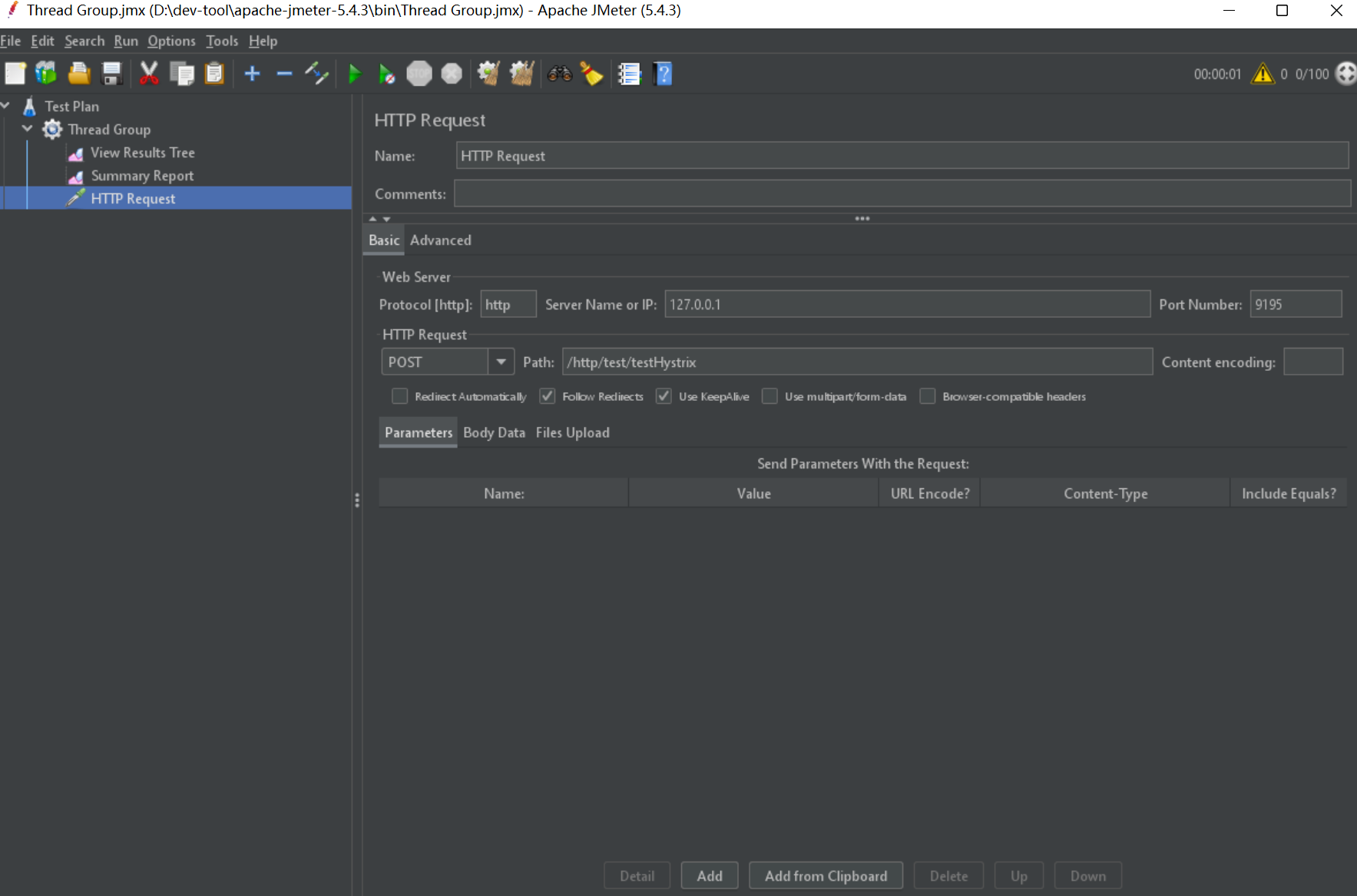
2.5.1.4 Send Request With Apache Jmeter
2.5.1.5 Check Result

3. How to disable plugin
- In
shenyu-admin--> BasicConfig --> Plugin -->hystrixset Status disable.