1. Overview
1.1 Plugin Name
jwtplugin
1.2 Appropriate Scenario
- Requires unified authentication by jwt at the gateway.
1.3 Plugin functionality
- The
jwtplug-in is for thetokenattribute orauthorizationof the http request header to carry the attribute value for authentication judgment and judgeOAuth2.0.
1.4 Plugin code
- Core module is
shenyu-plugin-jwt. - Core class is
org.apache.shenyu.plugin.jwt.JwtPlugin.
1.5 Added Since Which shenyu version
- Since ShenYu 2.4.0
2.How to use plugin
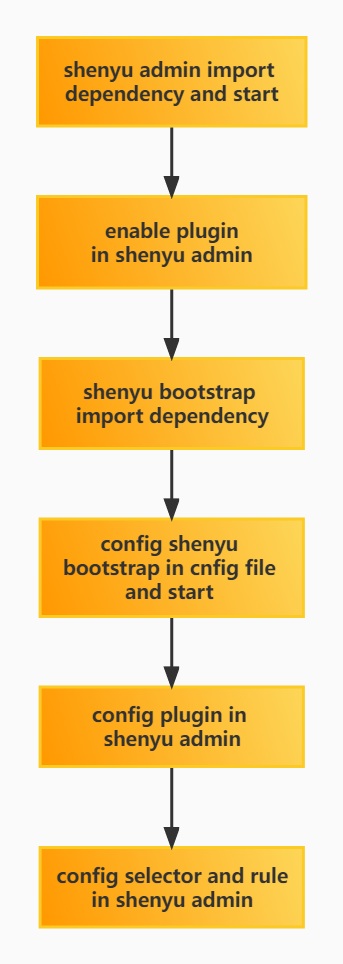
2.1 Plugin-use procedure chart
2.2 Import pom
<dependency>
    <groupId>org.apache.shenyu</groupId>
    <artifactId>shenyu-spring-boot-starter-plugin-jwt</artifactId>
    <version>${project.version}</version>
</dependency>
2.3 Enable plugin
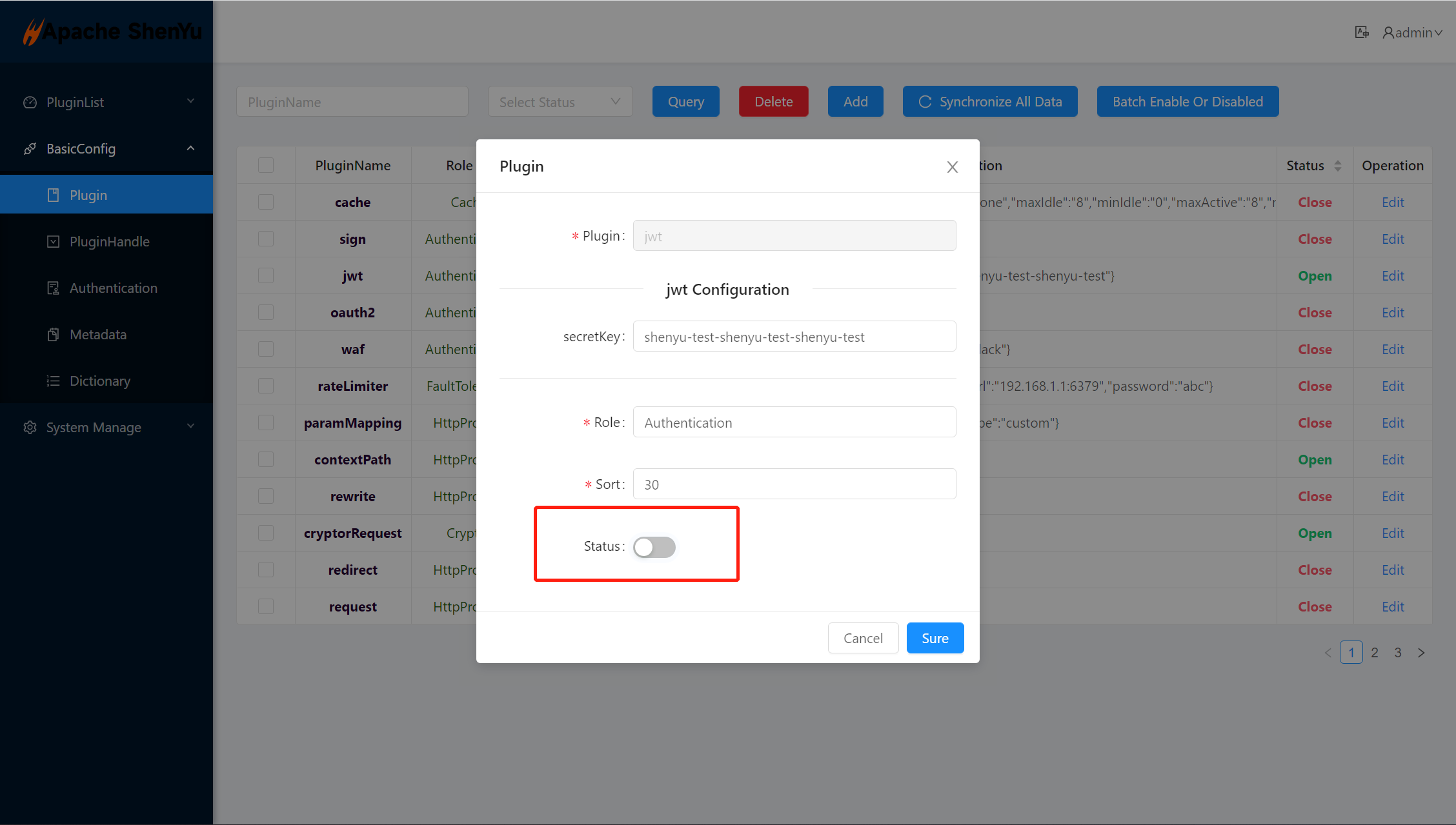
- In shenyu-admin --> BasicConfig --> Plugin --> jwt set Status enable.
2.4 Config plugin
2.4.1 Config plugin in ShenYu-Admin
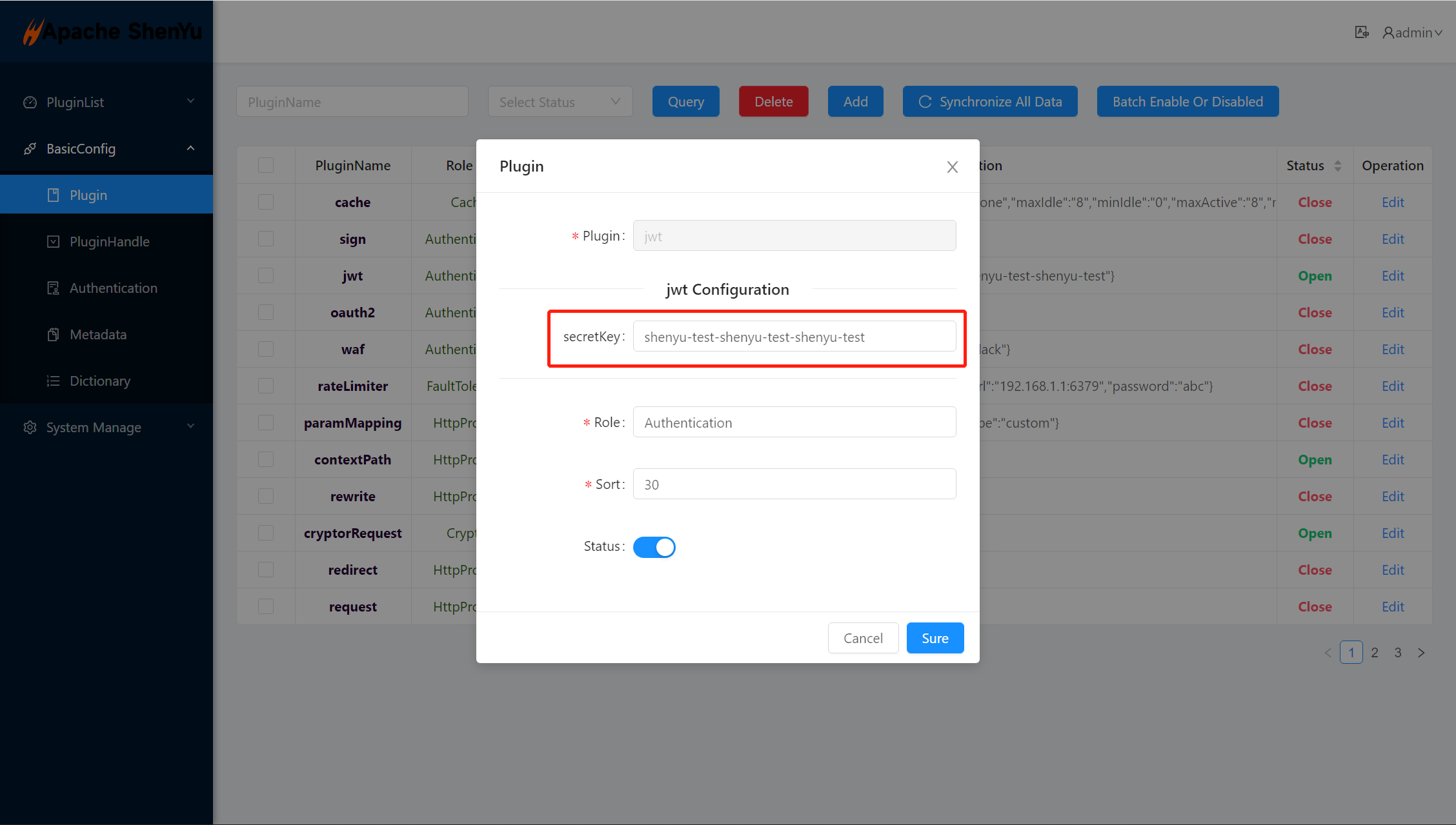
- Config secretKey of jwt-plugin in shenyu-admin, the secretKey must more than 256 bit.
secretKey: The private key when usingjwtto generatetoken, it is required.
2.4.2 Selector config
- Selector and rule Config. Please refer: Selector and rule config.
2.4.3 Rule Config
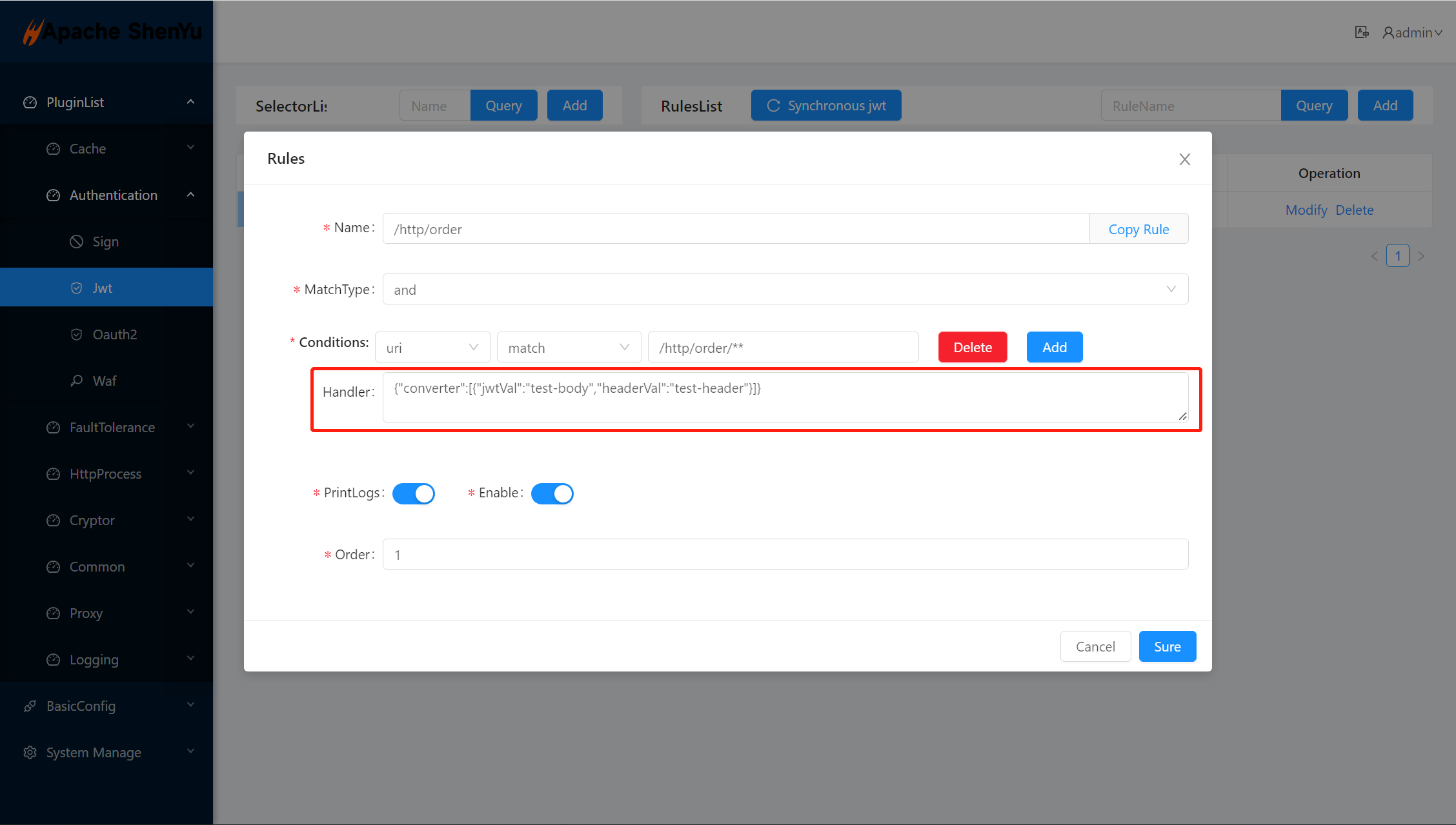
- convert means jwt converter
- jwtVal: jwt of body name
- headerVal: jwt header name
custom covert algorithm:custom-jwt-covert-algorithm
2.5 Examples
2.5.1 Use jwt token for authentication judgment
2.5.1.1 Config jwt-plugin
2.5.1.2 Config selector match service
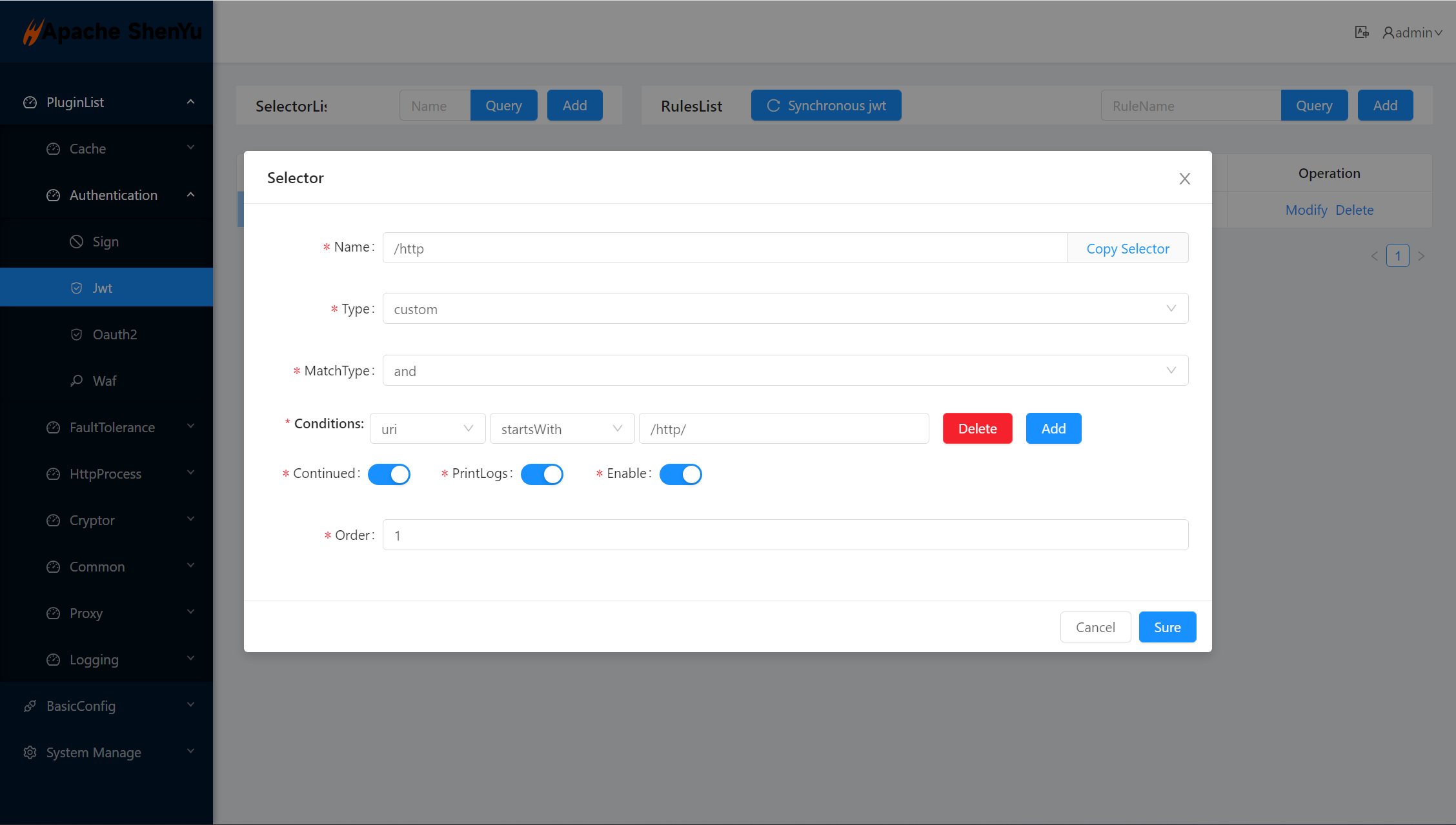
2.5.1.3 Config rule match service
2.5.1.4 Generate json web token(jwt) with website
- You can open
https://jwt.io/in your browser and fill in the corresponding parameters. - Config jwt header
HEADERinhttps://jwt.io/ - Config jwt body
PAYLOADinhttps://jwt.io/ - Config jwt signature
VERIFY SIGNATUREinhttps://jwt.io/
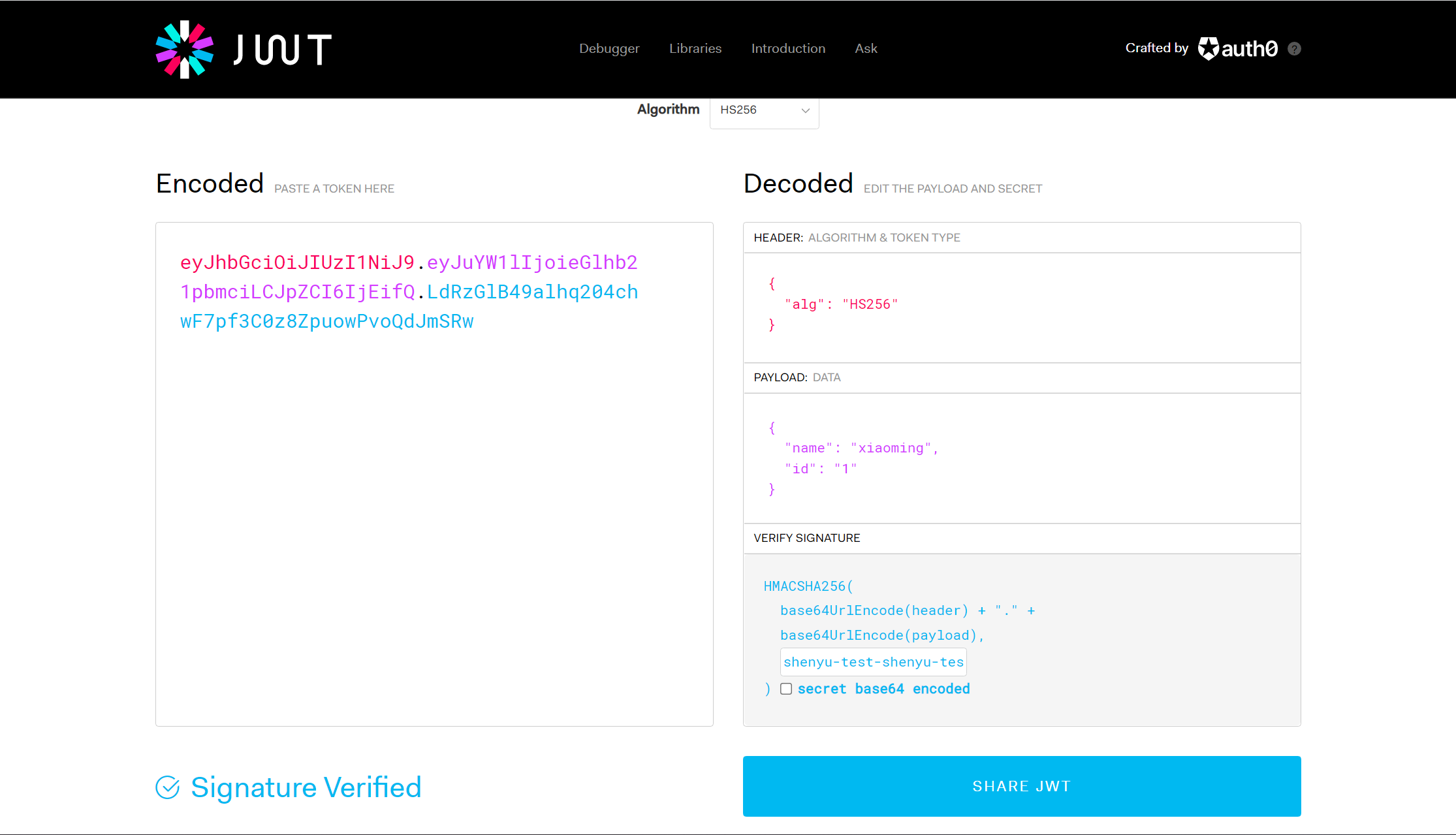
2.5.1.5 Generate json web token(jwt) with java code
public final class JwtPluginTest {

  public void generateJwtCode() {
    final String secreteKey = "shenyu-test-shenyu-test-shenyu-test";
    Map<String, String> map = new HashMap<>();
    map.put("id", "1");
    map.put("name", "xiaoming");
    Date date = new Date();
    date.setTime(1655524800000L);
    String token = Jwts.builder()
            .setIssuedAt(date)
            .setExpiration(new Date())
            .setClaims(map)
            .signWith(Keys.hmacShaKeyFor(secreteKey.getBytes(StandardCharsets.UTF_8)), SignatureAlgorithm.HS256)
            .compact();
    System.out.println(token);
  }
}
2.5.1.6 Request Service
2.5.1.6.1 Request service with token
- request your service with jwt token
token: eyJhbGciOiJIUzI1NiJ9.eyJuYW1lIjoieGlhb21pbmciLCJpZCI6IjEifQ.LdRzGlB49alhq204chwF7pf3C0z8ZpuowPvoQdJmSRwin your request header.
2.5.1.6.2 Request service Authorization
- request your service with Authorization
Authorization: Bearer eyJhbGciOiJIUzI1NiJ9.eyJuYW1lIjoieGlhb21pbmciLCJpZCI6IjEifQ.LdRzGlB49alhq204chwF7pf3C0z8ZpuowPvoQdJmSRwin your request header.
2.5.1.7 Validate request result
- error token request result
{
  "code": 401,
  "message": "Illegal authorization"
}
- normal token request result
{
  "id": "123",
  "name": "hello world save order"
}
3. How to disable plugin
- In
shenyu-admin--> BasicConfig --> Plugin -->jwtset Status disable.