1. Overview
1.1 Plugin Name
dividePlugin
1.2 Appropriate Scenario
- Handling
http protocolrequests. - Support traffic management, such as a/b test, grayscale test.
- Service Load Balancing.
- Set request timeout.
1.3 Plugin functionality
- Supports traffic management based on request information such as uri, header, and query.
- Supports setting the load balancing strategy for requests, and supports service warm-up. Currently, three strategies are supported: ip hash (consistent hash with virtual nodes), round-robbin (weighted polling), random (weighted random).
- Supports setting the maximum value of the request header, the maximum value of the request body, and the request level timeout.
- Supports setting the timeout retry policy and the number of retries. Currently, the retry policy supports: current (retrying the server that failed before) and failover (retrying other servers).
1.4 Plugin Code
- Core module is
shenyu-plugin-divide. - Core class is
org.apache.shenyu.plugin.divide.DividePlugin.
2. How to use plugin
2.1 Plugin-use procedure chart

2.2 Import pom
- Import maven in shenyu-bootstrap project's
pom.xmlfile.
  <dependency>
      <groupId>org.apache.shenyu</groupId>
      <artifactId>shenyu-spring-boot-starter-gateway</artifactId>
     <version>${project.version}</version>
  </dependency>
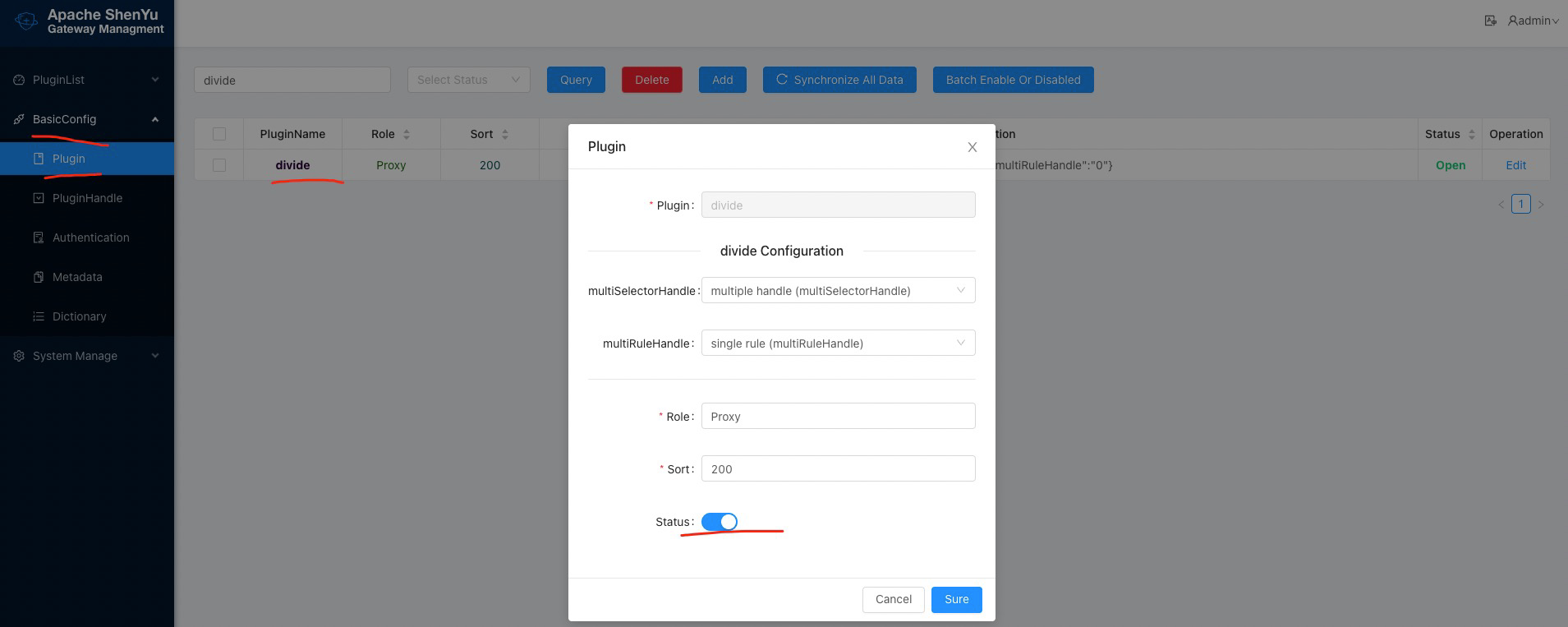
2.3 Enable plugin
- In
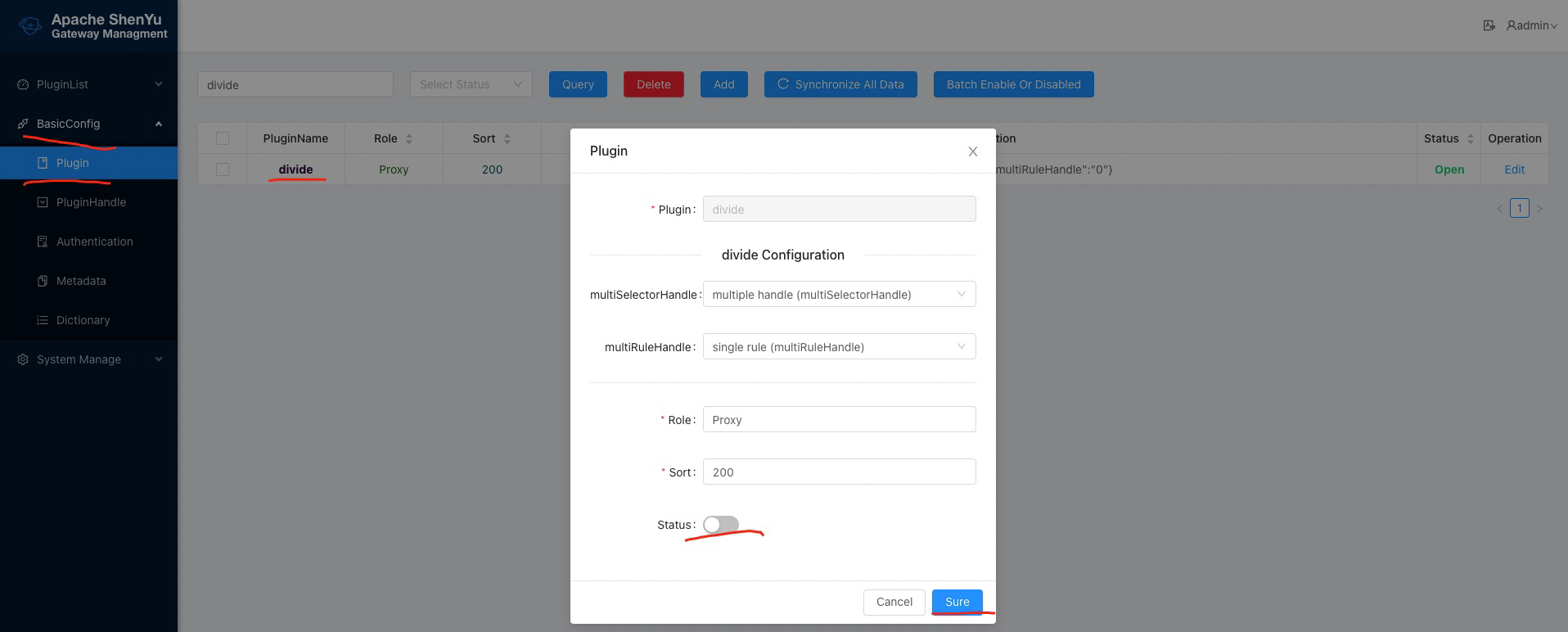
shenyu-admin--> BasicConfig --> Plugin -->divideset Status enable.
2.4 Config plugin
2.4.1 Configure access parameters in the client project configuration file
- Client access method and server address. The following example uses the http access method. Currently, the client supports the following access methods: http, zookeeper, etcd, nacos, consul. For detailed access configuration parameters, please refer to Client Access Configuration.
- Client configuration, including the protocol name and the routing address of the service, please use the http protocol here, and the value of contextPath must be configured as the routing address of each service.
  shenyu:
    register:
      registerType: http
      serverLists: http://localhost:9095
      props:
        username: admin
        password: 123456
    client:
      http: # http protocol
        props:
          contextPath: /http # routing address for each service
2.4.2 Configure upstream validity detection parameters in the shenyu-admin configuration file
The following example uses the http access method. Currently, the client supports the following access methods: http, zookeeper, etcd, nacos, consul. For detailed access configuration parameters, please refer to Client Access Configuration.
Only http-type registries support upstream detection.
  shenyu:
    register:
      registerType: http # Only http-type register center support upstream detection.
      serverLists:
      props:
        checked: true # The default is true, set to false, do not detect.
        zombieCheckTimes: 5 # The maximum number of zombie upstream detections. If it exceeds 5 times, its validity will no longer be detected. The default value is 5.
        scheduledTime: 10 # Timing detection interval, the default is 10 seconds.
        zombieRemovalTimes: 60 # How many seconds the upstream is offline to be considered as a zombie upstream, the default is 60 seconds.
2.4.3 Configure the selector and rule information of the divide plugin in shenyu-admin
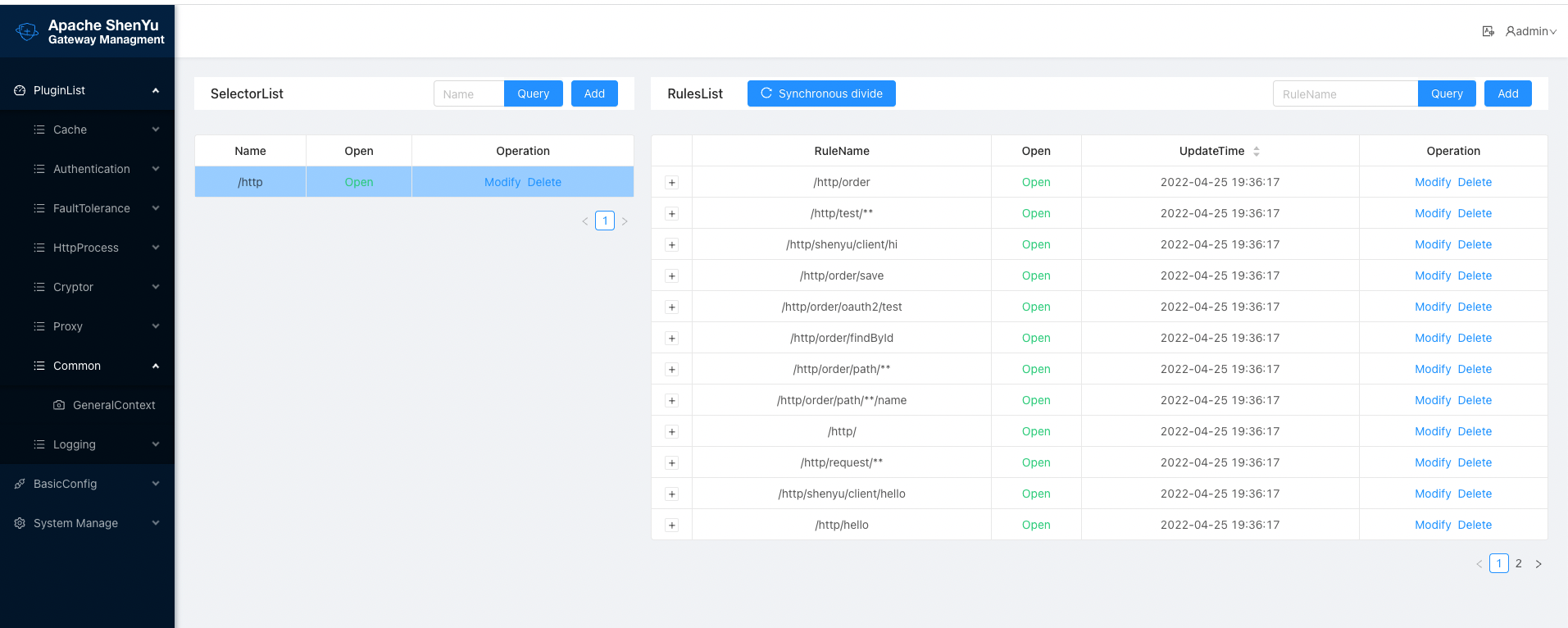
After the client is started, the selector and rule information will be automatically registered in shenyu-admin -> Plugin List -> Proxy -> Divide.
2.4.3.1 Selector configuration
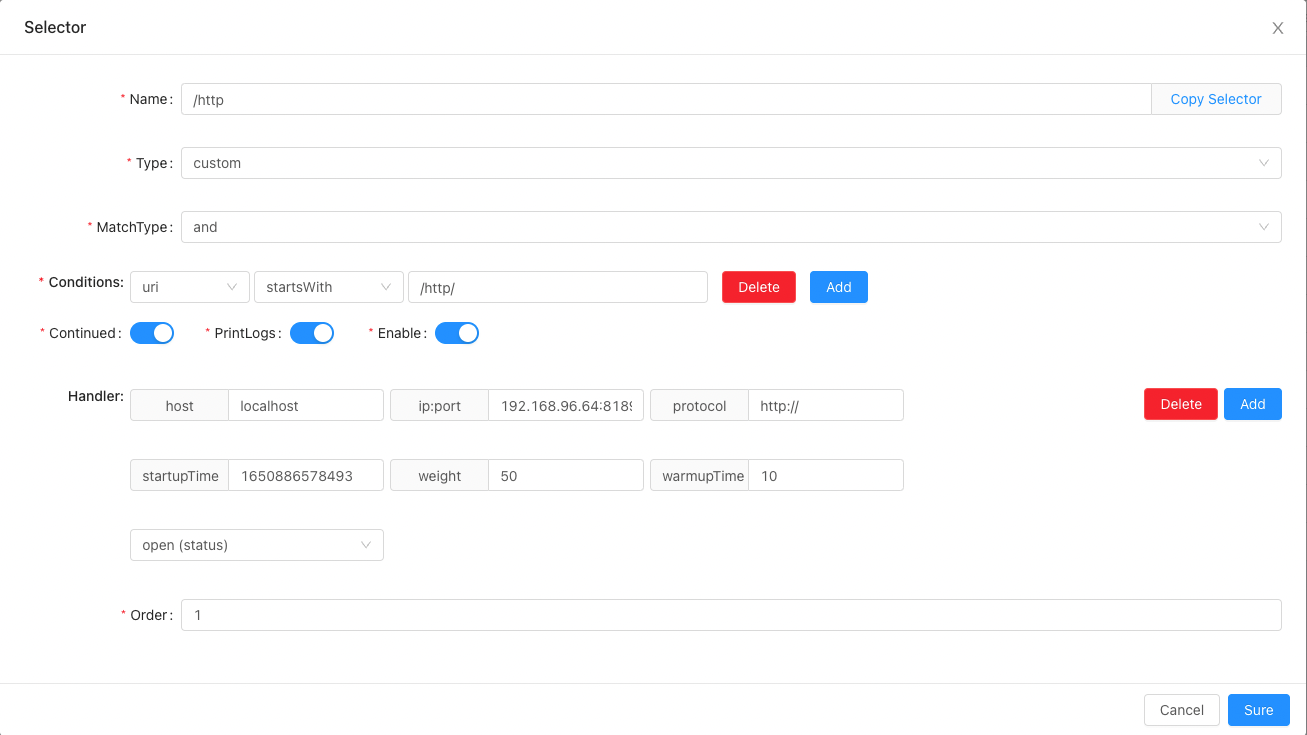
Example of divide selector. For general selector configuration, please refer to Selectors and Rules.
2.4.3.1.1 Selector handling information configuration
host: fill inlocalhost, this field is not used currently.ip:port:ipand port, fill in theip+ port of your real service here.protocol:httpprotocol, fill inhttp:orhttps:, if not fill in, the default is:http:.startupTime: Startup time in milliseconds.weight: load balancing weight, the default value of service startup automatic registration is 50.warmupTime: Warmup time, in milliseconds. The server during warmup will calculate the instantaneous weight, and the calculated value will be smaller than the actual configured weight to protect the server just started. The default value of service startup registration is 10. For example, the warm-up time is 100 milliseconds, the current startup is 50 milliseconds, the configured weight is 50, and the actual weight is 25.status: On or off, this selector is valid only in the on state.
2.4.3.2 Processing information configuration of rules
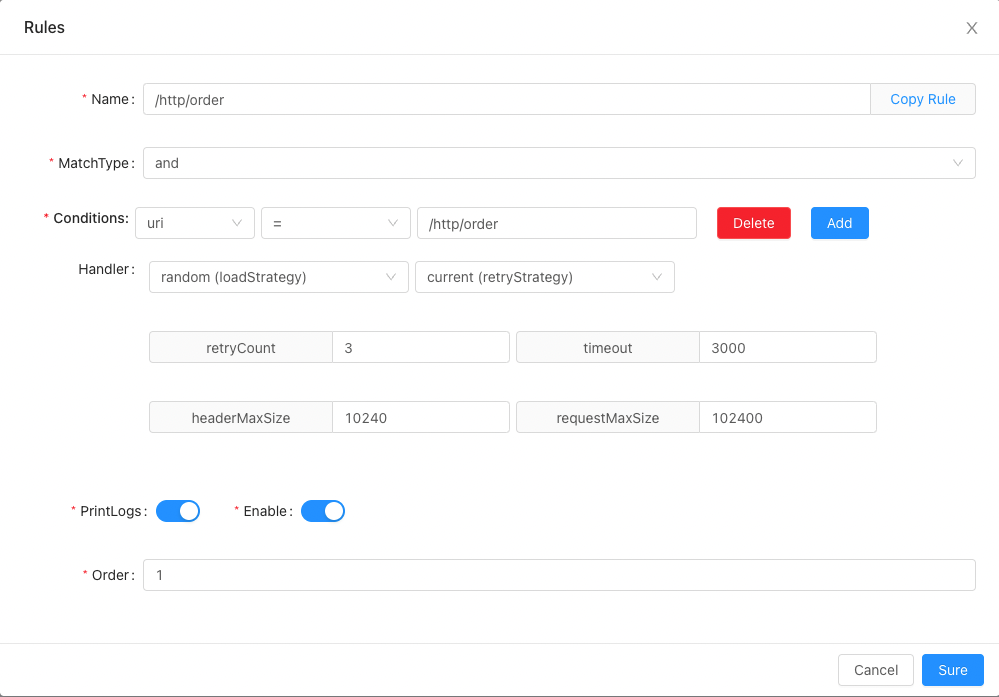
Example of divide rule. For general rule configuration, please refer to selectors and rules.
2.4.3.2.1 Rule processing information configuration
loadStrategy: If thehttpclient is a cluster, which load balancing strategy is used when theApache ShenYugateway is called, currently supportsroundRobin,randomandhash.timeout: The timeout for calling thehttpclient.retry Count: The number of retries that failed to call thehttpclient timeout.headerMaxSize: The maximum value of the requestedheader.requestMaxSize: The maximum value of the request body.retryStrategy: Supported since2.4.3, retry strategy after failure, defaultcurrentto maintain compatibility with lower versions. For example, there are 3 downstream serviceshttp:localhost:1111,http:localhost:1112andhttp:localhost:1113, assuming the first load balancing tohttp:localhost:1111andcall failed. Using thecurrentstrategy will continue to retry callinghttp:localhost:1111; using thefailoverstrategy will retry calling other services such ashttp:localhost:1112through theload balancing, if it fails again at this time , call tohttp:localhost:1113until no service is available.
2.5 Examples
2.5.1 Example A/B Test
To be added, welcome contribute.
2.5.2 Example Grayscale Test
To be added, welcome contribute.
3. How to disable plugin
- In
shenyu-admin--> BasicConfig --> Plugin -->divideset Status disable.